
O-browser: A Windows browser designed for active multitasking
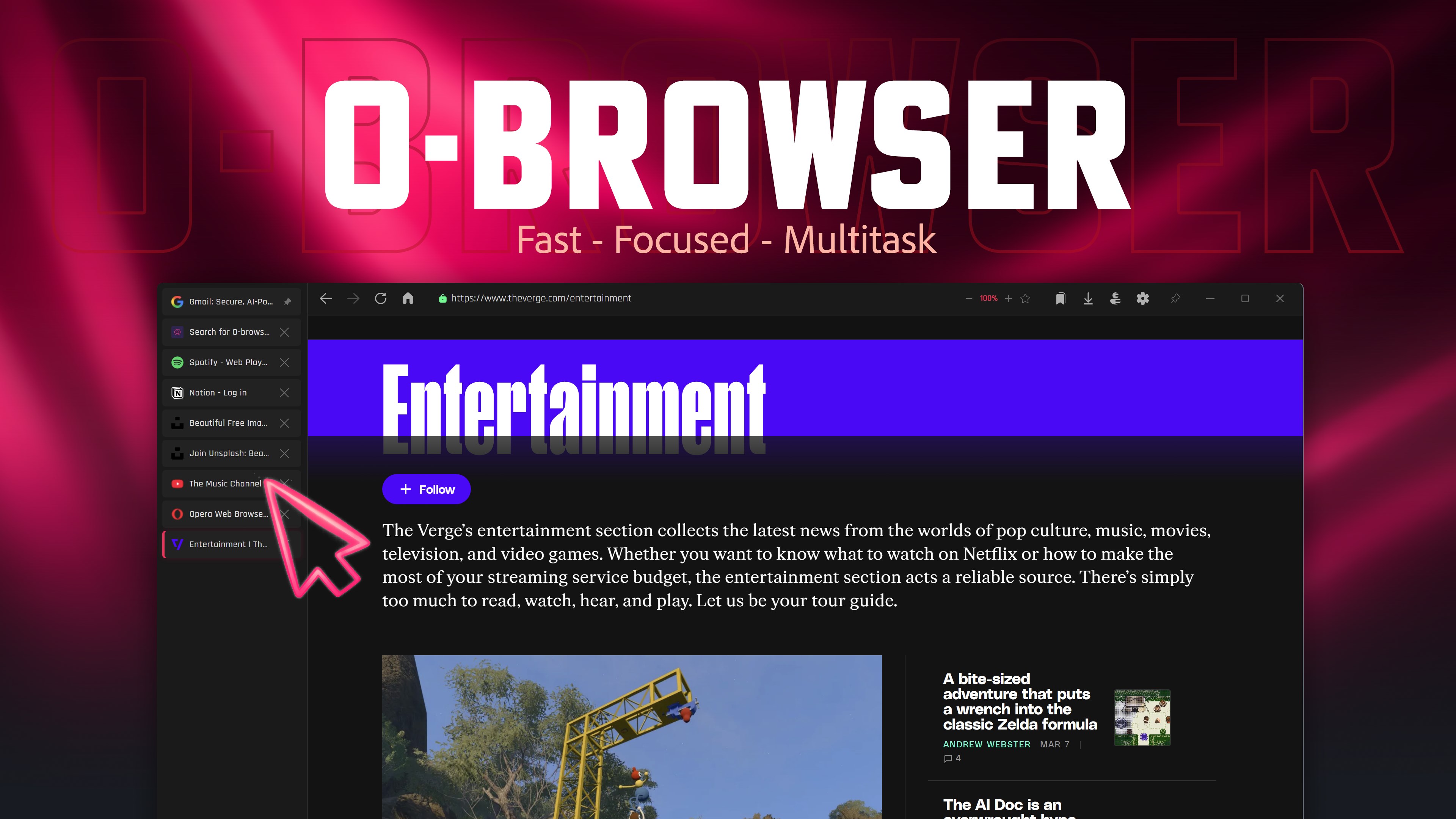
Discover O-browser, a Windows web browser built for productivity. Read our review of its split-screen, sidebar tabs, and built-in PDF tools.
Solving the Chaos of Modern Desktop Multitasking
For many professionals and researchers, the standard web browser has become a bottleneck. We constantly juggle dozens of open tabs, struggle to compare information across different windows, and rely on a bloated stack of third-party extensions just to read PDFs or keep a reference window visible. O-browser productivity web browser by Tronlabs addresses these exact frustrations directly on the Windows platform. Instead of catering to casual scrolling, this lightweight browser integrates specialized workflow tools directly into its core interface.
Key Features of the O-browser Productivity Web Browser
Designed specifically to streamline complex workflows, the browser includes several built-in features that normally require external software:
- Flexible Sidebar Tabs: Move beyond the crowded top-screen tab bar. Organize your sessions vertically on the left or right side of your screen, drag to reorder, or pin essential pages for instant access.
- Integrated Split-Screen Viewing: Eliminate the hassle of resizing multiple windows. You can view two websites side-by-side within a single window and drag the central divider to find your perfect layout balance.
- Native PDF Editing and Annotation: Open, highlight, sign, and export PDF documents directly inside your browser workspace without launching heavy external applications.
- Always-on-Top Pinning: Keep reference materials, live dashboards, or communication channels visible in a floating window while you work in other desktop software.
- Isolated Private Sessions & PIN Lock: Protect your workspace privacy with an incognito mode that operates in a fully isolated session, paired with an optional 4-digit PIN lock for shared computers.
Who is This Web Browser For?
The O-browser productivity web browser is tailored specifically for power users on Windows. If your daily routine involves cross-referencing multiple data sources, taking notes while watching video lectures, or reviewing documents while keeping an eye on a live chat dashboard, the native interface optimizations will save you significant time. Because it is highly customizable, you can easily set your preferred search engine, toggle launch-on-startup options, and configure it to minimize directly to your system tray for a clutter-free desktop experience.
How to Get Started
If you are ready to move past basic tab management and upgrade your desktop productivity setup, you can learn more and access the application securely. To explore its features firsthand, head over to the official Microsoft Store to download the browser for your Windows device.