

Photopaw
Read our comprehensive review of Photopaw for Mac. Learn how this lightweight utility simplifies photo cropping, annotation, and RAW image editing.
The Ultimate Lightweight Utility for Quick Image Adjustments
For Mac users who need to modify images quickly without launching heavy, resource-intensive design suites, the Photopaw Mac photo editor offers an incredibly efficient solution. Developed by SEASOFT LTD., this utility excels at rapid cropping, resizing, and precise image annotation, making it an indispensable tool for daily productivity, content creation, and casual photography editing.
Key Features of the Photopaw Mac Photo Editor
Despite its lightweight footprint, Photopaw is packed with practical features designed to optimize your creative workflow:
- Comprehensive Format Support: Work seamlessly with standard formats like JPEG and HEIC, as well as a wide range of camera RAW formats.
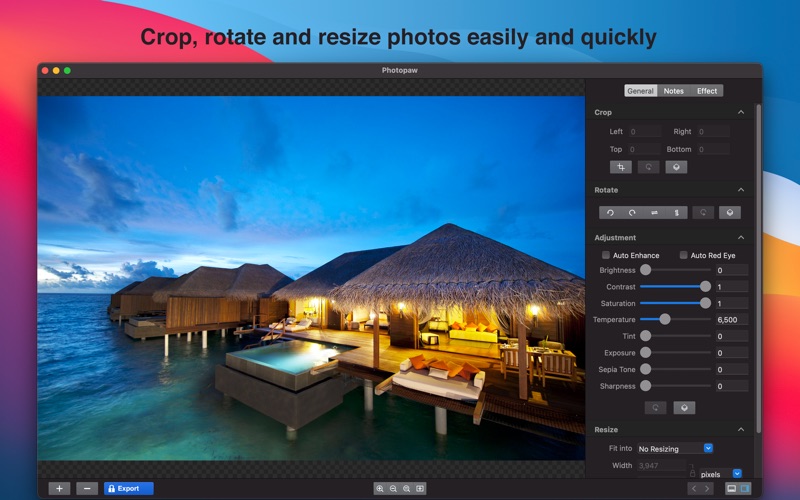
- Intelligent Enhancements: Instantly improve your shots with automatic photo effect enhancement and built-in red-eye removal.
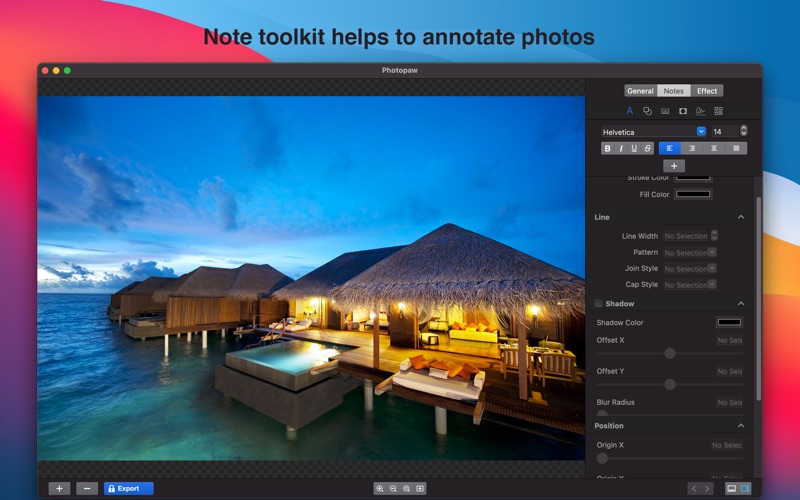
- Robust Annotation Tools: Add text, custom shapes, lines, talk bubbles, or thought bubbles. You can also apply unique signatures or insert QR codes directly onto your images.
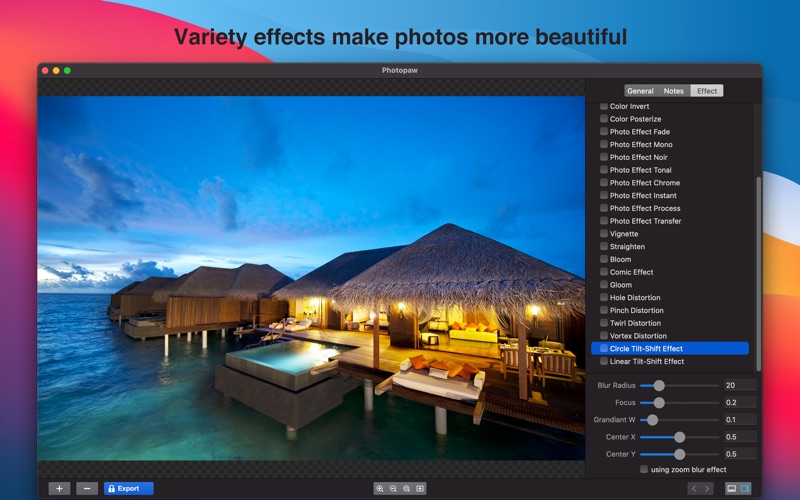
- Creative Filters & Effects: Choose from over 25 popular built-in effects, including Vignette, Mono, Fade, Chrome, Comics, and Tilt-Shift, featuring instant previews.
- Efficient Batch Processing: Save time by applying crop, rotate, resize, and adjustment settings to multiple images simultaneously.
Who Is Photopaw Best For?
The Photopaw Mac photo editor is highly recommended for professionals who frequently need to mark up screenshots, add privacy masks, or apply quick watermarks to their work. It is equally valuable for hobbyist photographers looking for a straightforward way to process RAW camera files and apply creative filters without a steep learning curve. The inclusion of batch processing makes it a massive timesaver for anyone handling bulk image resizing or rotation tasks.
Value and Accessibility
Photopaw is available as a free utility, offering its complete set of features without functional limitations. Users have the option to support the developer and remove advertisements through a simple in-app purchase. If you are looking for a fast, reliable, and versatile design utility for macOS, you can explore Photopaw on the official Mac App Store to see if it fits your digital toolkit.