
chiaki-ng
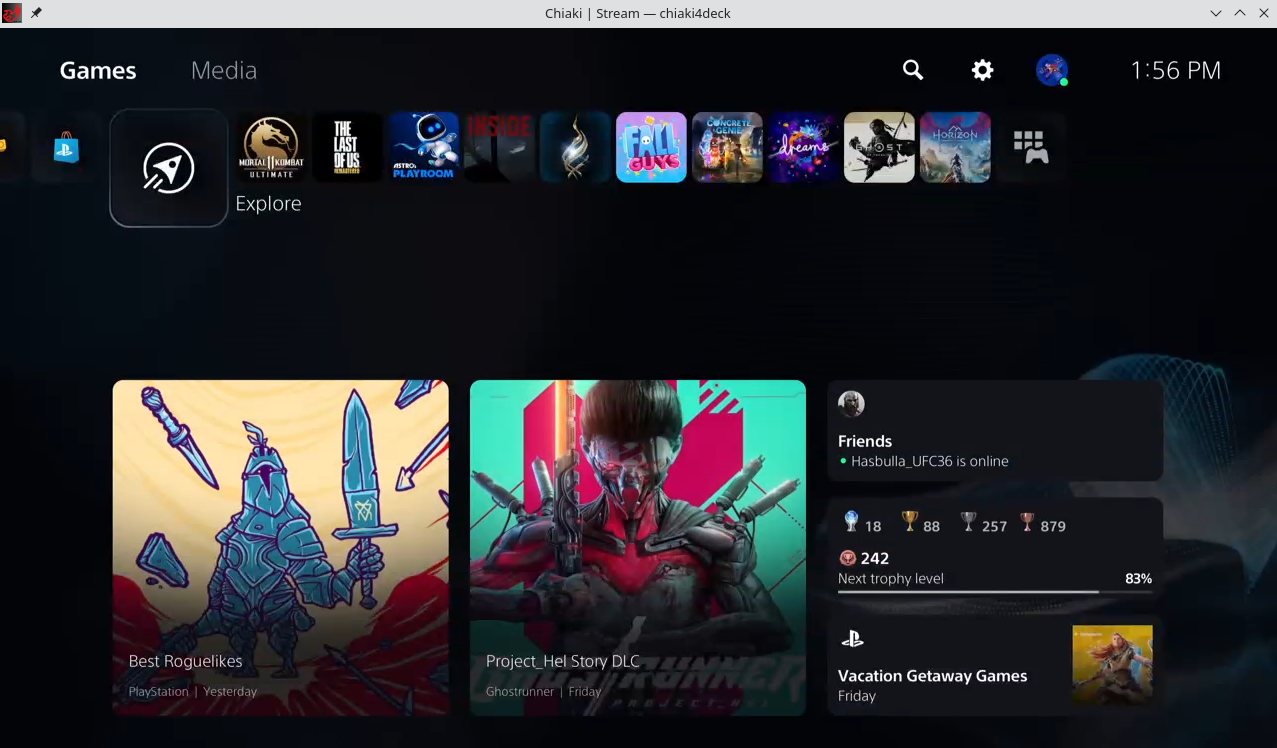
Discover chiaki-ng, the ultimate open-source client for PlayStation Remote Play on Linux. Read our full review of its features, performance, and setup.
For Linux users looking to stream console games directly to their desktops or handheld devices, the chiaki-ng PlayStation Remote Play client offers an exceptional, open-source solution. As the spiritual successor to the original Chiaki project—which has transitioned into maintenance mode—this next-generation fork brings active development, critical updates, and refined performance to the open-source community. Developed by Street Pea, this application bridges the gap between your Sony consoles and your Linux setup, allowing for real-time, low-latency gameplay over local and remote networks.
What is the chiaki-ng PlayStation Remote Play Client?
At its core, this software is a completely free, community-driven alternative to official streaming apps. It enables gamers to access both PlayStation 4 and PlayStation 5 consoles remotely. Because it is specifically optimized for Linux platforms, it has become a staple for handheld console enthusiasts and desktop Linux users who want a seamless, high-performance streaming experience without dual-booting or relying on proprietary workarounds.
Key Features and Enhancements
- Next-Generation Support: Built upon the solid foundation of the original Chiaki, receiving active maintenance, bug fixes, and feature enhancements.
- Cross-Generation Compatibility: Full, robust support for both PlayStation 4 and PlayStation 5 hardware.
- Zero-Cost Open Source: Free to use, modify, and distribute under open-source licensing, ensuring complete transparency and community oversight.
- Low-Latency Performance: Engineered for real-time inputs, minimizing lag to ensure fast-paced games remain entirely playable over stable network connections.
Who Benefits Most From This Tool?
This software is tailored specifically for Linux gamers who value control, customizability, and open-source software. If you own a PlayStation console and want to free up the living room TV, or if you prefer playing your console library on a portable Linux-based handheld, this utility is indispensable. It eliminates the barriers of proprietary ecosystems, giving you the freedom to stream your favorite titles on your own terms.
Getting Started with chiaki-ng PlayStation Remote Play
Setting up the application requires a local network connection to your console for the initial pairing process. Once configured, you can stream your library directly to your device. To ensure the best possible experience, a wired ethernet connection for your console and a high-speed 5GHz Wi-Fi or wired connection for your Linux client is highly recommended.
Ready to untether your console gaming experience? You can find more information, check out user reviews, and access the official installation files directly on the Flathub store page.